This is what a shop looks like. You can click on any of these photos to make them larger.

Scrolling down to the bottom of the page, you might notice there is alot of stuff for sale in this shop....28 pages as of this writing, to be exact, which converts to over 600 items!
 Oh my goodness, how do you look at it all? There are a few ways to zero in on what you are looking for. Try checking the shop's sections first. Sections are on the upper left side of the shop.
 Most people want to know what is on sale first. You can click on the "sale section" link, and it will bring up the sale items.
You can also choose from two different views to look at the list...either the thumbnail view, which gives you relatively large pictures and just a little text, like this:
 Or the List view, which gives you smaller photos, but all the title.
 To switch between views, use these little symbols on the right side of the page, near the top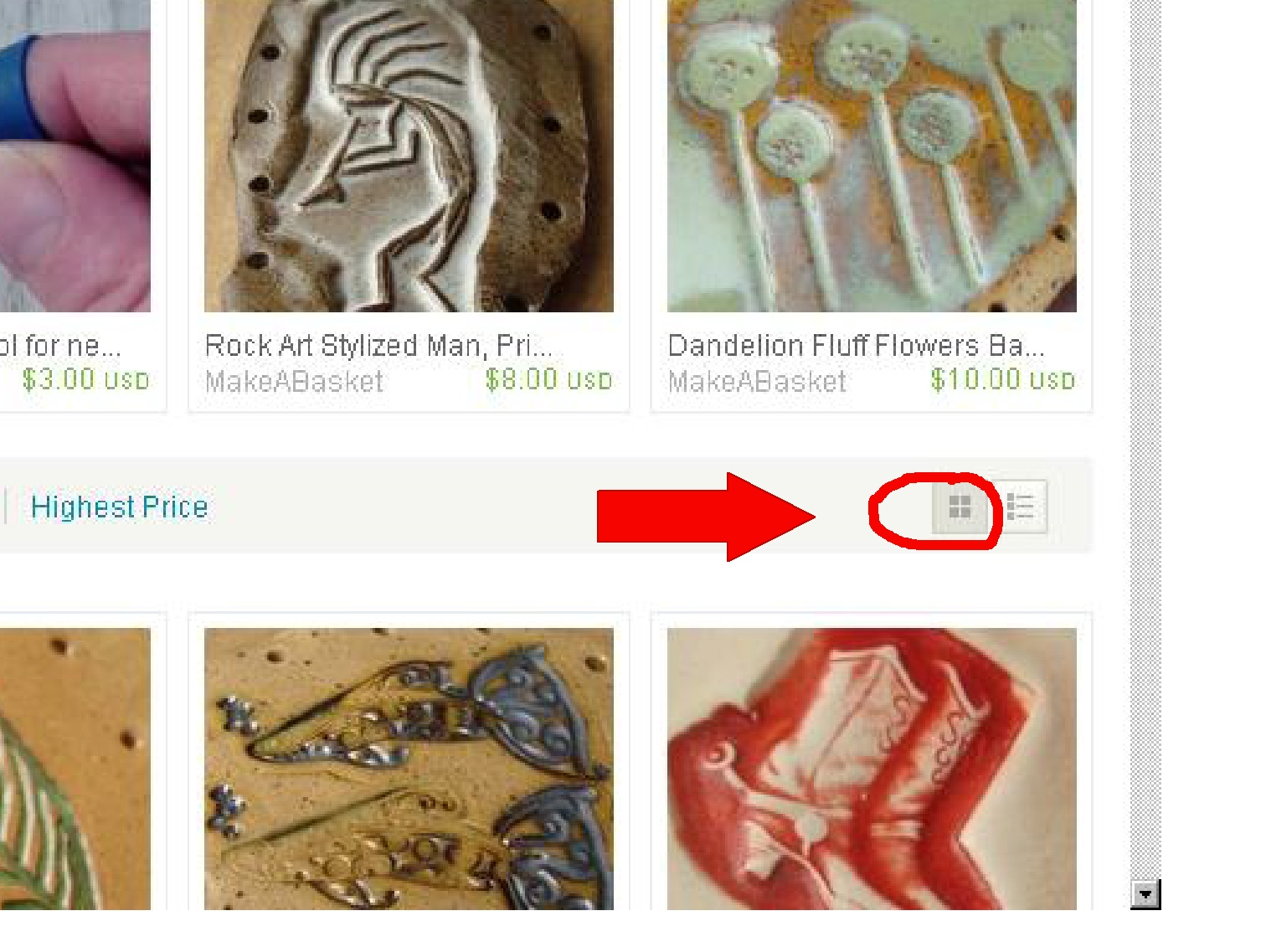
Still have too many things to sift through? Try sorting by price. On any page, you can show the lowest priced items first, by clicking on this little sorter.

There are more ways to sort through a shop. Say you have some great aqua thread, and want to make a basket with it, but need a base. You can search my shop for "aqua." Go to the top of the page, and type "aqua" in the search box. You MUST be on the front page of the shop or "shop home."
 Type "aqua" in the search box, and make sure the dropdown menu on the left has "this shop" selected. Then hit "go" or just your enter key. The resultant search gives you everything labeled "aqua" in the shop! (You can then sort for lowest price, as I showed you before, also!)
 If you want to find bases with cat motifs, or dragonflies, you can sort for them the same way!
To buy on etsy, you will need to register (but it is really easy.) Once you have registered and started buying things, you will want to learn to leave feedback. Feedback is your way of telling how your experience has been with each seller. It is very important to sellers to have positive feedback. To leave feedback, choose "your etsy" from the top of any page.

The left side of "your etsy" is where you find record of your Purchases, feedback, favorite, where you can enter a profile about yourself and upload an avatar, stuff like that.
 If you choose "Feedback," you will be able to enter feedback about others with whom you have transacted, and see the feedback they have left about you.
I hope this makes it a little easier to find what you want on etsy. Let me know!
I have four shops on etsy.
My bazketmakr shops carries finished baskets and my art cards.
PurpleToedGypsy has woven wearables - like horsehair charms on necklaces.
MakeABasket is a basket supply shop, featuring ceramic bases for coiling and kits.
LizardSkins is a destash shop, it has mostly blank white clothing for dye/paint and vintage items. Visit soon!



 More and more organizations are going to online newsletter formats. There are lots of advantages to this, the most obvious being saving money, paper, ink, and other resources. Getting a newsletter electronically also means it is delivered faster, and is more easily recalled when needed. There is less trash to dispose of, it never gets lost, and does not have to be filed! But there are more advantages. Electronic newsletters allow instantaneous connection to the web - links and emails become clickable, photos can be examined more closely, all without killing trees! Ready to start receiving your newsletters electronically? Let's see what you need to know...